
Interns with chainsaws
Sandboxing your AI agents is the wrong approach to the right problem

I wish I had read Token Anxiety by Nikunj Kothari sooner. It captured this thing I felt so vividly and succinctly when the agentic wave crashed through. Everyone is running 10 agents a day while they sleep. Are you?

I didn't feel token anxiety at work, writing code wasn't the bottleneck there. I felt it much more working on side projects. The more tokens I burnt, the more ideas came flowing through my head, the more terminal screens I spun up. Soon, I was finding ways to keep my home computer running all the time, connecting everything to Tailscale so I could run Claude Code through my phone, spinning up a few instances while I went for lunch or before making tea. At the peak of this phase, my partner called me out because I was constantly on my phone prompting Claude while going out with my friends. Yes, I realised the problem and it's better now.
But I never could scale it. During all that time I didn't have more than 2 agents running at the same time even though there were so many other separate tasks on the list. It wasn't that the agents weren't capable, it was me. I was the problem. I couldn't juggle more than 2 of them pestering me at a time, reviewing a plan here, asking to install a dependency there, the occasional lint and test and asking to make a pull request for me to review. Most of the time the commands they were requesting were straightforward, but every time they hit me with a request, I would have to context switch, remind myself what this agent's task is, what it's trying to do and decide on it. Each was a tiny paper cut that built up over the session. I was alt-tabbing like a headless chicken trying to stop them from being blocked on me.

Interns with chainsaws
At the root of this struggle was permissioning. I didn’t want to give them full access like interns with chainsaws running around my machine. AI agents are a lot like interns. They have strong fundamentals, write solid code and follow instructions well, but they lack context about your specific environment. They don’t know which directory is sacred, which branch has your work in progress code, or how to differentiate between a popular library and a supply chain attack. Without the right guardrails, a well-meaning agent can do real damage for the same reason a keen intern can: not because they’re incompetent, but because they don’t know what they don’t know.
OpenClaw’s many security exploits have highlighted why giving them full access is a bad idea. At the same time, “ask me every time” was clearly not the solution. Many commands like git status, gofmt or pnpm build were clearly harmless while rm -rf is clearly destructive and even installing new dependencies could be a security vulnerability and need some judgment.
The kneejerk reaction is to say “run it on a disposable VM in the cloud”. This is true, it limits the blast radius to just a cloud machine, if anything happens, you reset it and get another one. But this only considers the local environment. We increasingly install MCP servers to let agents interact with the outside world. Now the blast radius isn’t just your disposable VM, it’s everything you have access to. One fat finger on the enter key and your prod database is corrupted. Now imagine 10s or 100s of these running at once, you’re never going to manage that by yourself.
Enter Claude Code’s permission model. It lets you specify which commands can be run freely, which are strictly forbidden and those that always need a permission request. Taking the time to set this up is the key to letting you run more agents freely without them wreaking havoc on your machine and being blocked on you. A typical setup would be:
Allow most git commands other than force push
Allow your language’s build, lint, test and formatting commands
Always ask before adding dependencies
Ask before destructive docker commands
There are many examples on the internet but I suggest you take the time to think about each one. Setting it up correctly here will pay dividends when scaling your agent setup.
Scaling beyond the terminal
Claude Code's permission model solves the security problem, but not the scalability problem. It works great if you only work on a single machine and only use Claude Code, likely at least 50% of vibe coders out there working on side projects and personal amusements. But what happens when you need to run on multiple machines like your laptop, desktop, home server? Or when you want to use multiple tools? Or as an organisation trying to get on top of these agents? Permissions are configured per machine and per tool, so you end up maintaining the same rules in multiple places. The solution I came up with was to move it to the cloud.
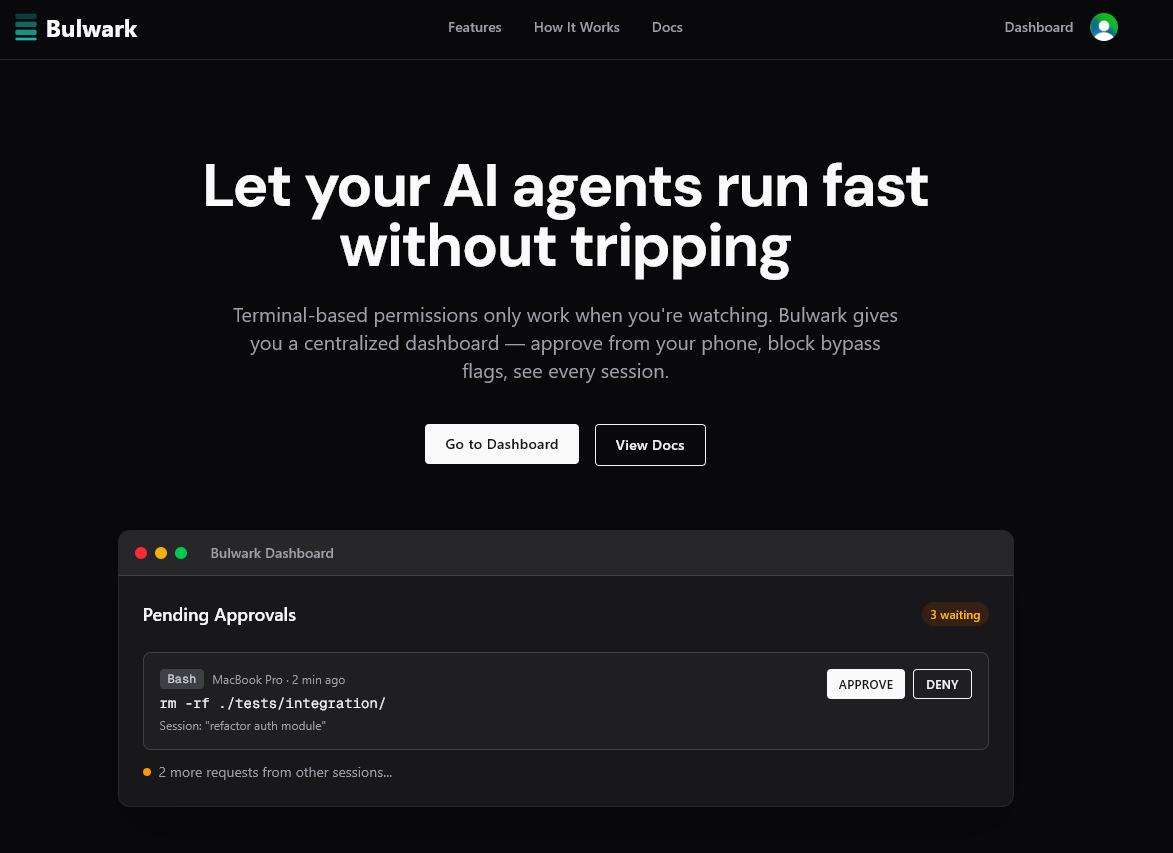
Bulwark is the centralised permission layer for your agents, applying the same policies across different tools and devices. Under the hood, it uses the hook system provided by Claude Code and other tools to send commands to a central server, apply policies and automatically approve or reject them. You can try it now at getbulwark.ai. It’s free!
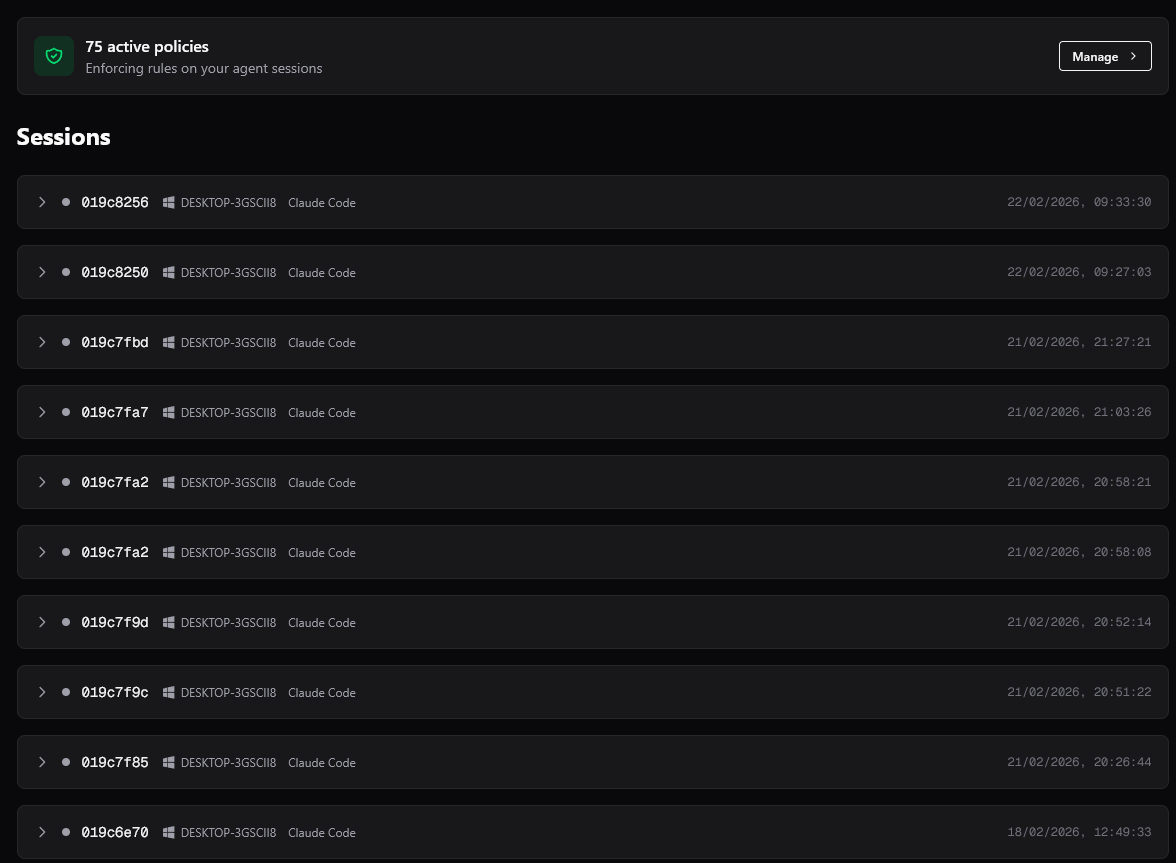
Personally, I use over 75 policies and route all my sessions through Bulwark. I can run multiple sessions at once and forget about them, only checking back occasionally to check the output.
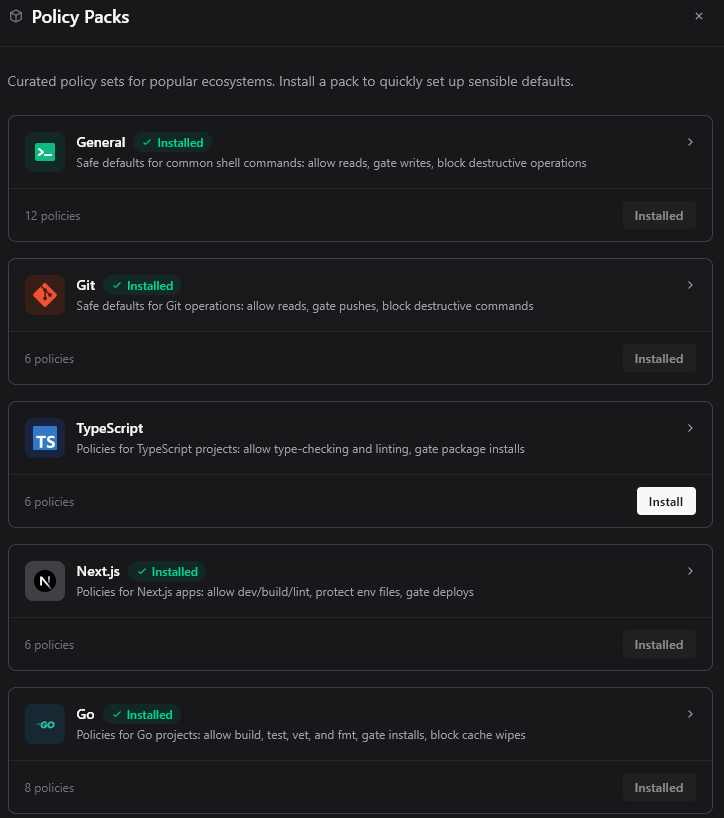
Setting up permissions from scratch is a pain, so we’ve included some policy packs with sensible defaults for popular languages and frameworks to get you started!
Bulwark also allow for more nuanced rules rather than only glob. You can specify regex, string contains, nested and/or conditions and more. Here’s one of the policies in the Go pack as an example

Running agents fearlessly
Only with a solid permission layer can we let agents run freely. Once we stop having to monitor them to see if they're trying to wreck our machine, we can scale their use effectively. It's the same thing you'd do to guide an intern. You don't hover over their shoulder all day, but you also don't give them root access on day one. You set up the right permissions, make destructive actions hard to do by accident, keep an audit trail, and let them get on with the work. This is also why we named it Bulwark, strong defensive walls to protect your systems and keep the agent on the right path.